Designing the palletizing sim
A discussion document on what to build, why, and which viewer/engine to pick — written ahead of an architecture conversation about integrating a simulator into atlas for the Fairino FR30 palletizing robot.
1. What we want from a sim
Before picking tools we need to be clear on why we'd run a simulator at all. Three reasons matter for atlas — and they're not the same shape of work.
1 · State visualization
Live mirror of what the follower thinks its joints/EE pose are. Always on whenever a Fairino is connected. The Tesla screen. No physics, no rollouts — just a live skeleton with overlays.
2 · Approve-before-execute gate
The Robot Controller (classical-control leader) proposes a trajectory → sim plays the rollout → human reviews → clicks approve → real follower executes. Every command requires approval.
3 · Dry-run on virtual hardware
Hardware is attached, but we want to test the command first in the virtual world before letting the motors move. Solved by a sim_mode flag on RobotNode, not by a separate fake robot. See section 2 — these are different things.
2. The two "sims" — separation of concerns
The word "sim" has been doing two unrelated jobs. We give them different names and never let them touch.
The Sim Viewer
A sibling Python package inside atlas: atlas/sim_viewer/, next to servo7/. Runs in-process. Serves a viser scene on a local port (e.g. :8080) which the atlas frontend iframes.
What it does
- Renders a URDF
- Registers a callback on
SystemStatefor the robot it's mirroring; pushes joint updates into the viser scene - Shows joints, waypoints, labels, validator overlays, candidate trajectories
- Hosts buttons and gizmos (Approve, Reject, drag-waypoint). Their click handlers are Python functions in the same process — they can call atlas APIs directly. No new WS protocol needed.
What it does NOT do
- Run any physics or kinematics math
- Decide whether a command reaches hardware
- Produce robot state
- Talk to the real Fairino
- Live in its own Docker container or process
It is a view layer. Replace it with a different renderer and atlas would not notice.
The Sim Engine (inside RobotNode)
Lives in atlas, inside RobotNode behind a sim_mode flag. Same EngineBackend Protocol that RobotControllerNode uses for planning in v2.
What it does
- Forward-integrates commanded actions into
RobotState(kinematics in v1, MuJoCo in v3) - Populates
SystemState["fairino"]exactly as the real driver would - Runs whenever
RobotNode.sim_mode == True— same RobotNode, same robot_id, no hardware moves - Keeps ticking on a 100 Hz timer so state stays live even between commands
What it does NOT do
- Render anything
- Have a web UI
- Care that a Sim Viewer exists
- Exist as a separate
Robotsubclass — there is only one Fairino driver
It is the gate in RobotNode. Flip the flag, the same RobotNode produces simulated state instead of hardware state. The visualizer doesn't know or care.
SystemState["fairino"] and renders whatever is in it — encoder-derived or sim-engine-derived. It cannot tell the difference, and that's the point.
The gate inside RobotNode
class RobotNode:
    def __init__(self, robot: Robot, sim_mode: bool = False):
        self.robot = robot                  # real Fairino driver — instantiated either way
        self.sim_mode = sim_mode            # the flag
        self.sim_engine = KinematicEngine(robot.urdf)  # always present, used when flag is on

    def connect(self) -> None:
        if not self.sim_mode:
            self.robot.connect()            # only touch hardware when in hardware mode

    def handle_action(self, action: RobotState) -> None:
        if self.sim_mode:
            new_state = self.sim_engine.step(action, dt)
            system_state.update_state(self.robot_id, new_state)
        else:
            self.robot.set_state(action)
            system_state.update_state(self.robot_id, self.robot.get_state())

    def set_sim_mode(self, on: bool) -> None:
        """Live toggle. WS message from frontend can call this."""
        if on and not self.sim_mode:
            self.robot.disconnect()         # release hardware
        elif not on and self.sim_mode:
            self.robot.connect()            # reclaim hardware
        self.sim_mode = on
The driver class is always instantiated, but connect() is skipped while the flag is on. This is the live-flip-friendly design: poke a trajectory in sim_mode, flip via a WS message, re-run the same trajectory on hardware without restarting RobotNode.
3. Viewer / engine options
This is where the most confusion happens because the candidates live at different layers. Some are physics engines, some are renderers, some are libraries you build a renderer with. The table is the quickest way to see it:
| Tool | What it is | 3D render | GUI controls | Physics | In browser |
|---|---|---|---|---|---|
| three.js | Low-level JS 3D library | yes | no (DIY) | no | yes |
| MeshCat | three.js + Python WS bridge | yes | no | no | yes |
| viser | three.js + Python + GUI framework | yes | yes | no | yes |
| Rerun | Rust+wasm telemetry viewer | yes | weak | no | yes |
| MuJoCo | Physics engine w/ native viewer | yes | no | yes | no (desktop) |
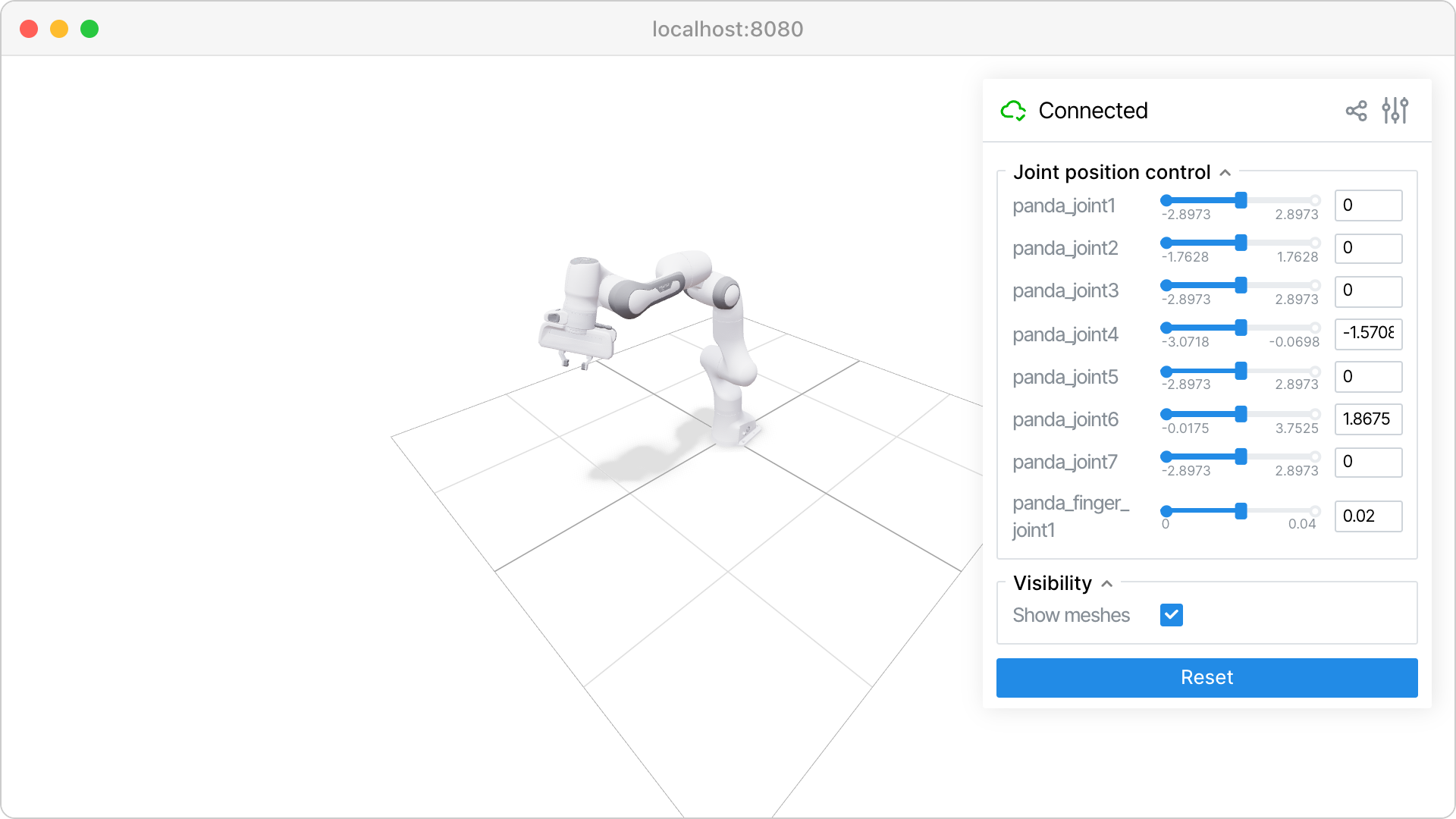
viser recommended
three.js + Python + a GUI panel framework. @button.on_click decorators, transform gizmos for waypoint authoring, scene labels and mesh recolor — everything we listed as mandatory, out of the box.
Maintenance: active (v1.0.26, Mar 2026, Nerfstudio team). Forkable if it goes stale (~3k LOC Python).
Risk: small team. We pin the version.
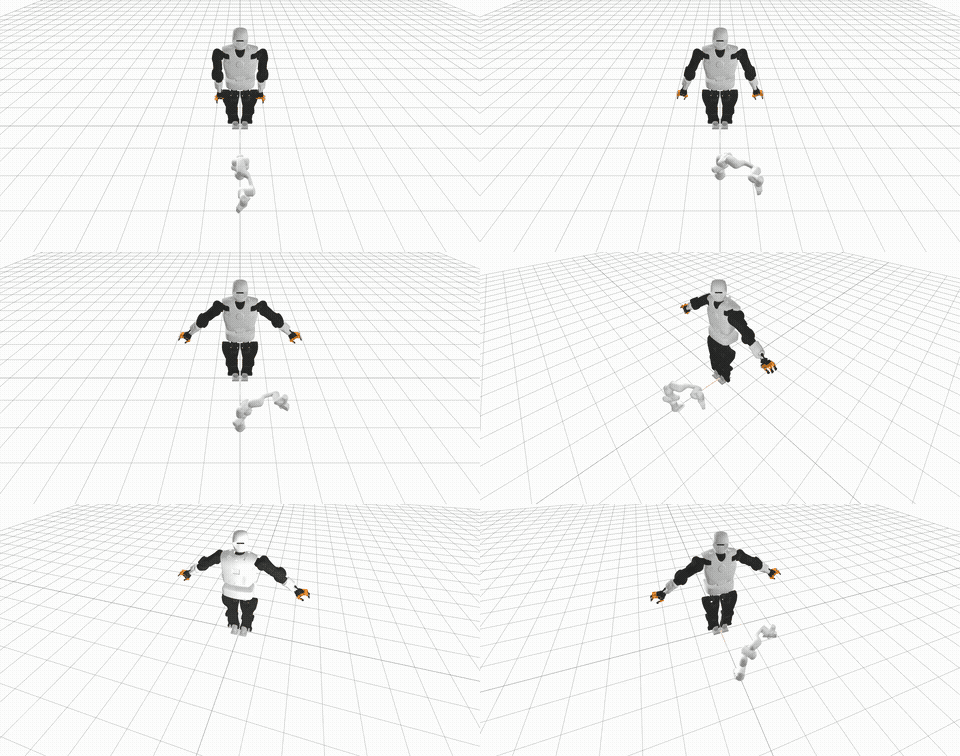
MeshCat stale
Same three.js renderer as viser, with a Python-WS bridge. No GUI controls layer — for buttons you'd add Streamlit/Gradio alongside, which means two web UIs to iframe.
Maintenance: no commits in 12+ months. Was the standard for Drake/Pinocchio users in 2020–2023.
Why we'd skip: worse than viser on every axis we care about today.
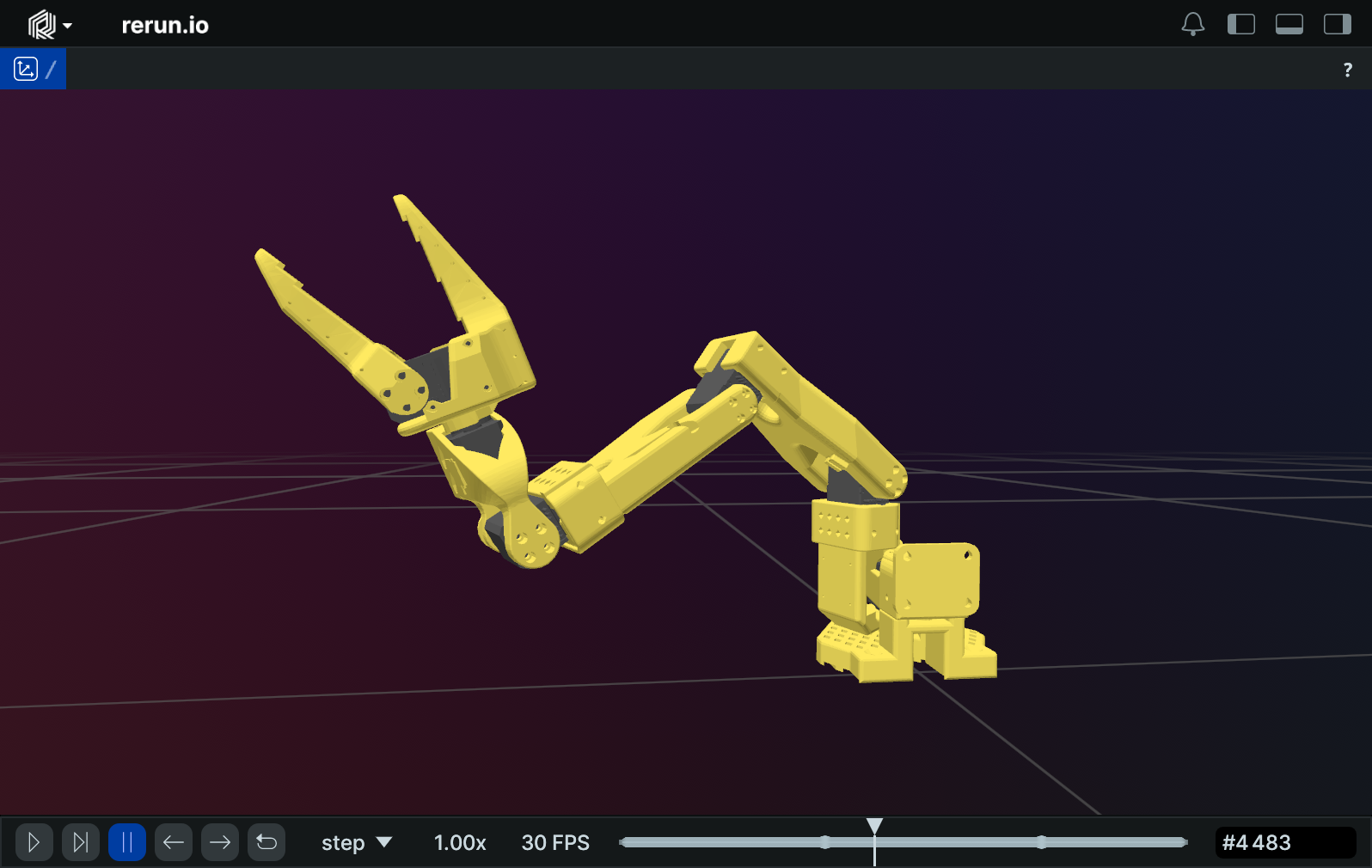
Rerun parallel use
Excellent telemetry/time-series viewer. URDF loading is first-class (improved again in 0.28/0.29). But custom buttons that call back to Python are not a first-class primitive — fine for "view a rollout afterwards", weak for "approve this now".
Role: not the interactive viewer. Use it alongside viser later for trajectory replay and joint-trace scrubbing.
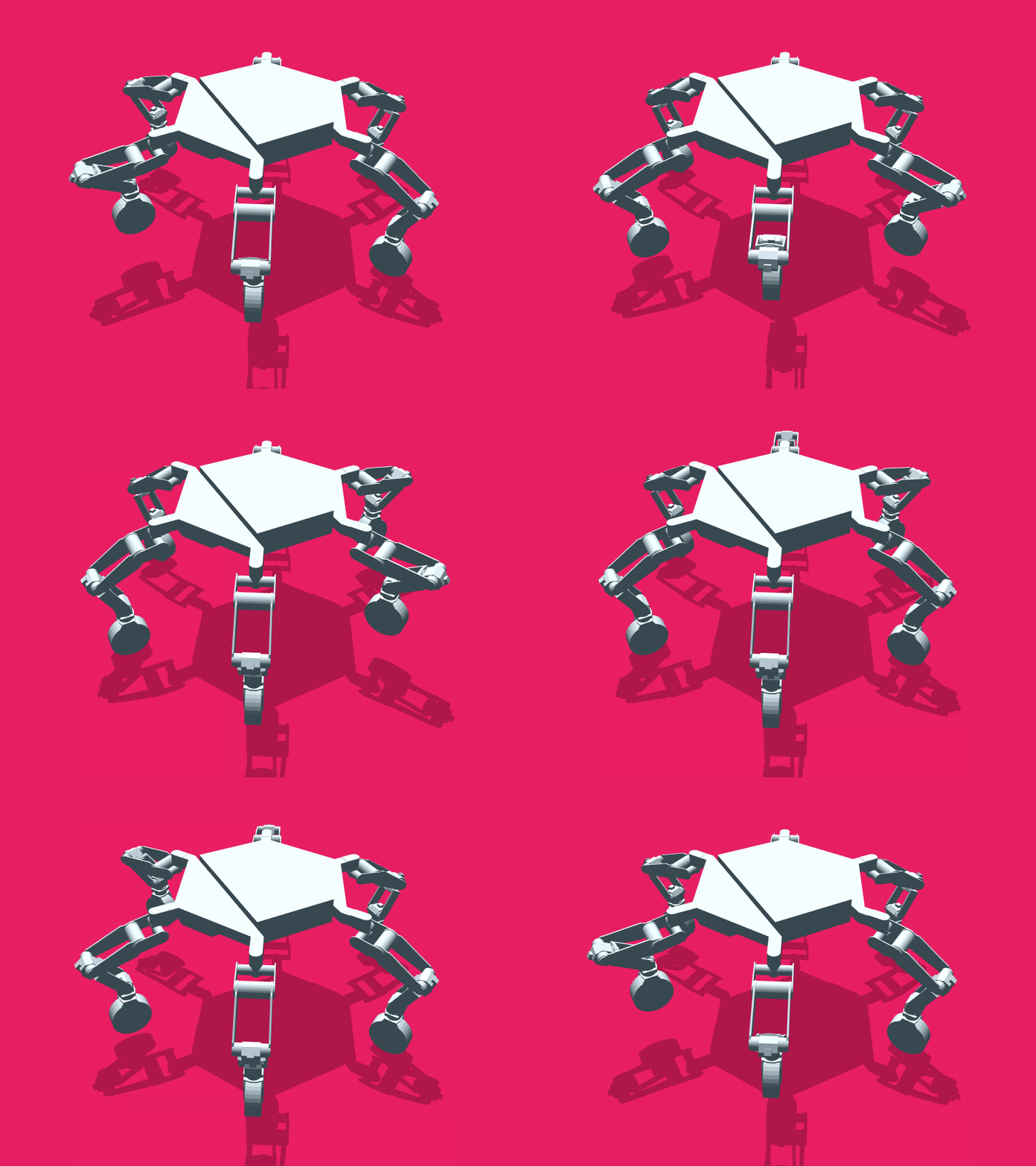
three.js + urdf-loaders DIY
Battle-tested URDF parser (gkjohnson, used at JPL). You'd build the websocket protocol, button bridge, waypoint gizmos, and label layer yourself. Roughly 2 weeks of work that viser hands you for free.
When this wins: we hit a wall with viser and need full control. Not v1.

MuJoCo engine, not viewer
Best-in-class rigid-body physics with contact. Native OpenGL viewer — not iframeable. MuJoCo-WASM compiles physics to the browser but ships no GUI.
Role: a physics layer for the Robot Controller's internal engine when we want contact-rich behaviour (grasp stability, slip, force control). v1 doesn't need it; v3 does.
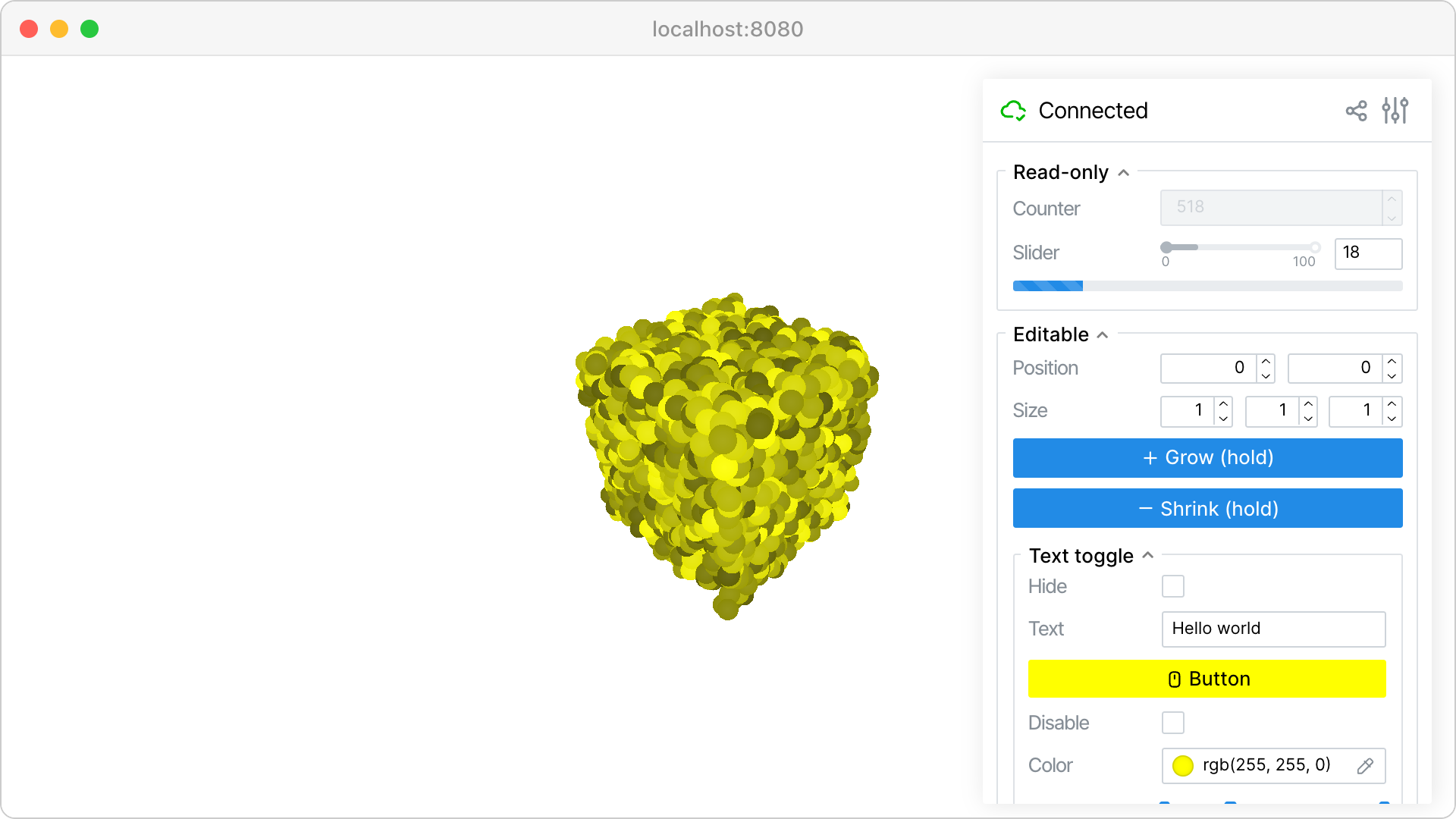
viser GUI — what we get for free
Buttons, sliders, dropdowns, file uploads, foldable panels, transform gizmos, 3D click events, scene labels with color overlays. All controlled from Python with decorators. This is the specific reason viser wins for the approve-gate flow.
No JavaScript written on our side.
4. The four leaders, one follower
The follower is always one robot. What changes is who is driving it. Atlas already has Teleop, AI and Emergency Stop. We're adding a fourth leader: Robot Controller.
Teleop
Human leader arm drives the follower. Real-time, no preview.
AI
Neural policy drives the follower. Real-time, no preview.
Robot Controller
Classical control: trajectory planning, IK, force control. Every command rendered in the Sim Viewer and approved by a human before execution.
Emergency Stop
Override. Blocks all other leaders. Existing behaviour.
The Sim Viewer is always rendering the follower's live state. The mode only changes whether the viewer's buttons are active as a command source.
5. Architecture
Everything plugs through SystemState. The Sim Viewer is a sibling Python package living inside atlas's process — it registers a callback on SystemState directly. No new transport layer, no inter-process serialization.
┌─ atlas process ──────────────────────────────────────────────────┐
│                                                                  │
│   ┌────────────────────────────────────────────────┐             │
│   │ RobotNode (one per robot)                      │             │
│   │                                                │             │
│   │   action ──►  sim_mode flag ─┬─► [True]  ──►   │             │
│   │                              │   sim_engine.step  ──┐        │
│   │                              │                      │        │
│   │                              └─► [False] ──►        │        │
│   │                                  robot.set_state ──►│        │
│   │                                  robot.get_state ──►│        │
│   │                                                     │        │
│   │   Sim engine ticks at 100 Hz even when no command   │        │
│   │   (so SystemState stays live).                      │        │
│   └─────────────────────────────────────────────────────┼────────┘
│                                                         │
│                          ──── state ────────────────────┴────────►
│                                                    SystemState
│                                                  ["fairino"]
│                                                        │
│                                                        │ callbacks
│                                ┌───────────────────────┤
│                                ▼                       ▼
│                       ┌─────────────────┐    ┌──────────────────┐
│                       │ Orchestrator    │    │ sim_viewer/      │
│                       │ + WS :8765      │ ◄─►│ (in-process      │
│                       │ + CommandRouter │    │  Python package) │
│                       │ + Mode gate     │    │                  │
│           commands ──►└─────────────────┘    │  viser server    │
│           mode gate           ▲              │  on :8080  ──────┼────►
│           ▲                   │ SET_SIM_MODE │  URDF render     │
│           │                   │              │  callbacks ←─────┤
│  ┌────────┼────────┬──────────┐              │   SystemState    │
│  │        │        │          │              │  buttons → call  │
│ Teleop  AI   Robot         Emergency         │   atlas Python   │
│              Controller    Stop              │   directly       │
│              Node (v2)                       └──────────────────┘
│                                                       │
│  RobotControllerNode (v2) owns:                       │
│    • SimCore + same EngineBackend used by RobotNode   │
│    • Validators (torque, collision, …)                │
│    • Proposal/Approval state machine                  │
│    • Calls sim_viewer.show_proposal(…) directly       │
│                                                       │
└───────────────────────────────────────────────────────┼─────────
                                                        │
        ┌───────────── atlas-frontend :3000 ────────────┴─────────┐
        │ AtlasSimPanel.jsx  →  <iframe src="localhost:8080"/>    │
        │ Plus sim-mode toggle (sends SET_SIM_MODE over :8765)    │
        └─────────────────────────────────────────────────────────┘
The Sim Viewer is a sibling of servo7/ inside the same atlas Python process. Two consequences: state moves as a Python callback (no serialization, no WS hop), and the Approve/Reject buttons inside viser can invoke atlas functions directly (no new WS message types like APPROVE/REJECT ever ship).
The two flows, side by side
Hardware mode (sim_mode = False)
- Active leader emits an action.
- Orchestrator routes through
CommandRoutertoRobotNode. RobotNodecallsself.robot.set_state(action)→ motors move.self.robot.get_state()→ encoders read →SystemState.- Sim Viewer renders.
Sim mode (sim_mode = True)
- Active leader emits an action.
- Orchestrator routes through
CommandRoutertoRobotNode. RobotNodesees the flag; callsself.sim_engine.step(action, dt). Hardware untouched.- Returned simulated state →
SystemState. - Sim Viewer renders. Looks identical from atlas's perspective.
Why all heavy math lives in atlas, not the Sim Viewer
- The Sim Engine already lives inside RobotNode for the sim_mode path; SimCore in
RobotControllerNodeuses the sameEngineBackendProtocol. One engine, two consumers. - Validators need access to the URDF, mass model, and SystemState — all already in atlas.
- Keeps the Sim Viewer container thin: just viser + URDF + a WS client. Trivially restartable; never carries state of its own.
- Swap the viewer (viser → something else, one day) without touching control logic.
The channels at a glance
| Channel | Endpoints | Carries |
|---|---|---|
| Sim Viewer ↔ atlas | In-process Python callbacks | State change callbacks from SystemState. Button clicks call atlas functions directly. No serialization, no WS. |
| browser iframe ↔ Sim Viewer | WS :8080 (viser internal) | Scene updates, button clicks, gizmo drags. All handled by viser itself. |
| frontend ↔ atlas | WS :8765 (existing) | STATE_UPDATE, mode changes, recording, SET_SIM_MODE (new in v0). Unchanged transport. |
SimCore layering — so we can swap engines later
class EngineBackend(Protocol):
    def step(self, joint_cmd: list[float], dt: float) -> EngineState: ...
    def reset(self, q: list[float]) -> None: ...
    def add_body(self, urdf_or_mesh: str, pose: Pose) -> BodyHandle: ...

# v1 / v2 — kinematics + collision, no physics
class KinematicEngine(EngineBackend):
    # pinocchio FK + hpp-fcl collision

# v3 — full physics, no atlas changes needed
class MujocoEngine(EngineBackend):
    # contact, gripper success, slip
Rule: no engine types cross the SimCore boundary. No mjData in the rest of atlas, no pinocchio.Model in the Sim Viewer. EngineState is pure data: joint positions, EE pose, optional contact list. Swap engines = one config line; nothing else moves.
6. Phasing
The gate, no viewer
Goal: RobotNode can route commands to a sim engine instead of hardware. Verified entirely from the backend; no UI work yet.
servo7/sim/kinematic_engine.py—EngineBackendimpl (pinocchio FK + hpp-fcl)sim_modeflag onRobotNode+ the engine instance- 100 Hz timer to keep simulated state live between commands
SET_SIM_MODEWS handler for live toggle (driverconnect/disconnecton flip)- Acceptance: start atlas with real Fairino, sim_mode on. Send a teleop command.
SystemState["fairino"]updates; real arm stays still. Flip flag off, send same command, real arm moves. - No Sim Viewer, no iframe, no frontend changes
In-process viser + iframe
Goal: the operator can see what v0 already routes. Visual feedback for the sim/hardware mode that's already working.
- New sibling package
atlas/sim_viewer/(next toservo7/) - viser, yourdfpy added to atlas's
pyproject.toml - Viewer starts as part of atlas main loop; binds viser to
:8080 - Registers a callback on
SystemState; pushes joint updates into the viser scene AtlasSimPanel.jsxwith<iframe src="localhost:8080"/>+ sim-mode toggle button- No Docker container, no compose file, no devcontainer change
Approve-gate & command surface
Goal: classical control leader plans, sim shows it, human approves.
- New
ControlMode.ROBOT_CONTROLLER RobotControllerNodewith SimCore + KinematicEngine + validatorsTRAJECTORY_PROPOSAL/APPROVE/REJECTWS messages- Viser sidebar shows validator results (red rows, highlighted waypoints)
- Approved commands routed via existing
CommandRouterto follower
MuJoCo engine
Goal: contact-rich validation. Grasp stability, slip, payload limits with real dynamics.
- Add
MujocoEngineimplementingEngineBackend - Config switch; no other atlas changes
- New validators light up: grasp slip, contact force
- Sim Viewer unchanged — same WS messages, richer content
7. The "no jiggle" problem
In MuJoCo, when something was wrong with the physics — load too heavy, integrator unstable, contact unsolvable — the arm would jiggle and explode. That was an in-band signal: the engine was telling us "this won't work".
Kinematics-only doesn't jiggle. Set joint angles → they sit there. A 50 kg payload looks identical to a 5 kg one. Silence is the new failure mode.
The fix isn't to add physics — it's to add explicit analytical checks inside RobotControllerNode that turn implicit jiggle into named failures. Most of what MuJoCo was telling us can be computed directly from the URDF + a candidate trajectory:
Catchable in v2 without physics
- Static gravity torque — pinocchio's inverse dynamics. Says "Joint 2 over torque at waypoint 4 (114% of rated, payload 18 kg, EE 0.8m extended)".
- Dynamic torque — same with non-zero velocity/accel.
- Joint limits, velocity limits, accel limits
- Self/environment collision via hpp-fcl
- Singularity proximity via Jacobian condition number
- Workspace bounds, reachability/IK convergence
Needs real physics (v3)
- Grasp stability — does the suction/jaw hold?
- Tipping / sliding of unsecured loads on the pallet
- Contact-rich behaviour (insertion, push, wedge)
- Impedance / force-controlled tasks
- Cable / hose drag on the EE
- Resonance and vibration at high speeds
Each validator returns CheckResult(pass, severity, message, waypoint_idx). RobotControllerNode attaches them to the TRAJECTORY_PROPOSAL message; the Sim Viewer renders them as a red row in the sidebar with the offending waypoint highlighted in 3D. Arguably better than MuJoCo's wobble: wobble told us something was wrong; this tells us what.
Dependency: the torque validator only works if the URDF has real mass/inertia data. Fairino's URDF quality is a v2 acceptance criterion — if their values are placeholders we backfill from CAD or fall back to the datasheet payload-vs-reach envelope.
8. Open questions for the conversation
RobotControllerNode, which also owns SimCore and validators. Orchestrator stays as the mode gate.sim_mode flag on RobotNode, plus a KinematicEngine instance it can route commands to instead of the hardware driver. The Robot subclass is always instantiated; connect() is skipped while the flag is on. Live-toggle via WS. No separate FakeFollower class.fairino30_v6_moveit2_config at github.com/FAIR-INNOVATION/frcobot_ros2, with URDF/xacro files in fairino_description/urdf/. We pull from there. Still TBD before v1: verify the URDF carries real mass/inertia data (not placeholders) — that's what the torque validators depend on. If not, backfill from CAD or fall back to the datasheet payload-vs-reach envelope.0.0.0.0:8080; teammates reach it over LAN / Tailscale / SSH forward. Multiple browsers can connect and view the same scene simultaneously. Convention, not enforcement: "one writer at a time" — whoever's clicking. We can add a soft lock later if it becomes a problem; not worth building in v1.atlas/sim_viewer/ with its own Dockerfile and a docker-compose.yml at atlas root. See the next section for how it slots into the existing devcontainer.9. Deployment — in-process, no Docker
The Sim Viewer is a sibling Python package inside atlas, next to servo7/. It lives in the same process as the orchestrator and RobotNode. The existing devcontainer doesn't change — no compose migration, no second container, no inter-process WS.
What "in-process" buys us:
- The viewer reads
SystemStatevia Python callbacks — no JSON, no WS hop, noSTATE_UPDATEserialization tax. - Approve / Reject / waypoint events from viser's GUI are Python function calls on atlas APIs. We never need to invent new WS message types for them. (In v2,
RobotControllerNodecan register handlers directly with the viewer.) - One
uv syncinstalls everything. Onepython -m servo7(or whatever atlas's entrypoint is) starts everything. - If the viewer crashes, it brings atlas down — but viser is small and well-isolated; we accept the coupling for the simplicity.
The viewer still binds viser to localhost:8080, and the atlas frontend iframes that URL. The browser↔Python WS that viser uses internally is unchanged — that's still how button clicks reach the Python event handlers. The only thing that's gone is a second WS hop between atlas and "the viewer container".
Directory layout
atlas/
├── .devcontainer/            # unchanged
│   ├── devcontainer.json
│   ├── Dockerfile.dev
│   └── Dockerfile.base
├── pyproject.toml            # MODIFIED — adds viser, yourdfpy
├── sim_viewer/               # NEW — sibling Python package
│   ├── __init__.py
│   ├── server.py             # starts viser; called from atlas main
│   ├── scene.py              # URDF load, joint update, button bindings
│   └── urdf/
│       └── fairino30_v6.urdf # vendored from FAIR-INNOVATION/frcobot_ros2
└── servo7/
    ├── nodes/
    │   └── robot_node.py     # MODIFIED — sim_mode flag + SimEngine + 100Hz timer
    └── sim/
        └── kinematic_engine.py  # NEW — EngineBackend (pinocchio FK + hpp-fcl)
The viewer is a normal Python package, importable from atlas's entrypoint:
# atlas main.py (sketch)
from sim_viewer import start_viewer
from servo7.system import system_state

viewer = start_viewer(system_state, robot_id="fairino", port=8080)
# atlas continues — orchestrator, robot_node, etc.
10. Smallest concrete next step — ship v0
Just the backend gate. No viewer, no frontend changes. v0 is verifiable entirely from atlas logs and SystemState snapshots — that's the point of splitting it out.
- Sim Engine. Add
servo7/sim/kinematic_engine.py—EngineBackendimplementation using pinocchio FK + hpp-fcl. Loads URDF, exposesstep(action, dt) → RobotState. - Sim flag in RobotNode. Modify
servo7/nodes/robot_node.py: take asim_mode: bool, instantiate the engine, routehandle_actionthrough it when the flag is on. Add a 100 Hz timer to keep state live between commands. Add aSET_SIM_MODEWS handler for live toggle (driver'sconnect/disconnectcalled on flip). - FR30 URDF. Vendor
fairino30_v6.urdffromFAIR-INNOVATION/frcobot_ros2intoservo7/sim/urdf/. Confirm mass/inertia are real values, not placeholders.
Acceptance test: start atlas with real Fairino driver, sim_mode = true in config. Send a teleop command from the leader arm. Observe in logs: SystemState["fairino"] joint positions update to the commanded values; the real arm does not move. Send SET_SIM_MODE false over WS. Send the same command. Now the real arm moves and reports back through the encoders. Dry-run-then-execute, end to end, with zero frontend code touched.
Roughly 1 day if the URDF lands clean. v1 (Sim Viewer + iframe) layers on top without changing any v0 code — it's just a new subscriber to SystemState.